"Every improvement contributing to your outstanding experience is our daily motivation." - Remitano
In order to provide a more convenient account verification experience for users, Remitano is going to update the "Change phone number" process starting from February 15, 2022.
In the past, when the users wanted to delete the phone number, he needed to enter the OTP verification code sent by the SMS to the registered phone number, now the process is even simpler.
In case the uses have activated the Authenticator, Remitano will ask the user to enter the Authenticator code to remove the phone number. If they haven't installed Authenticator, they only need to press "Yes" to confirm.
As a result, if users lost their old phone number and cannot receive SMS OTP, they can still remove and update their new phone number easily.
How to change phone numbers
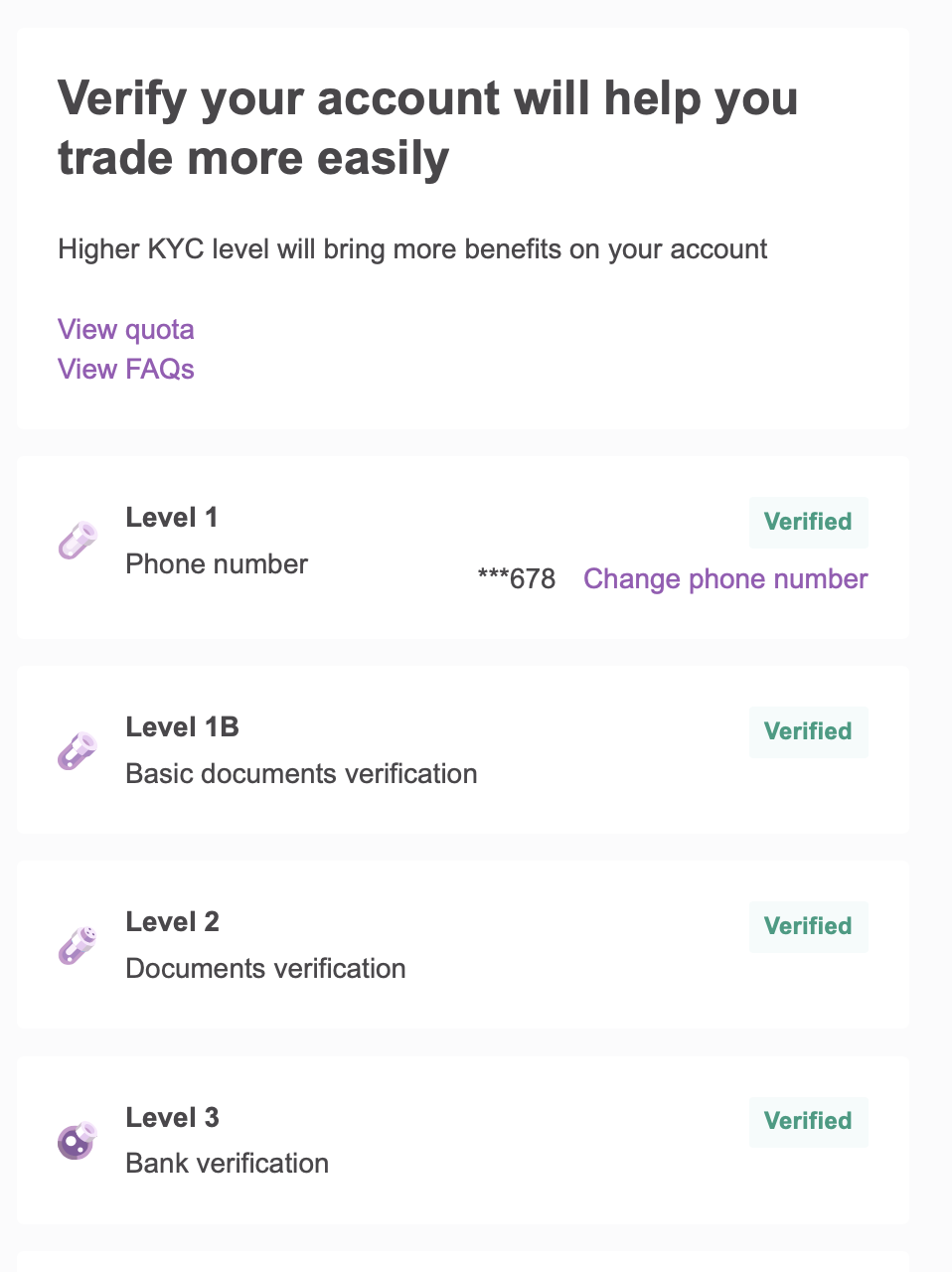
Step 1: At the account verification section, select “Change phone number”
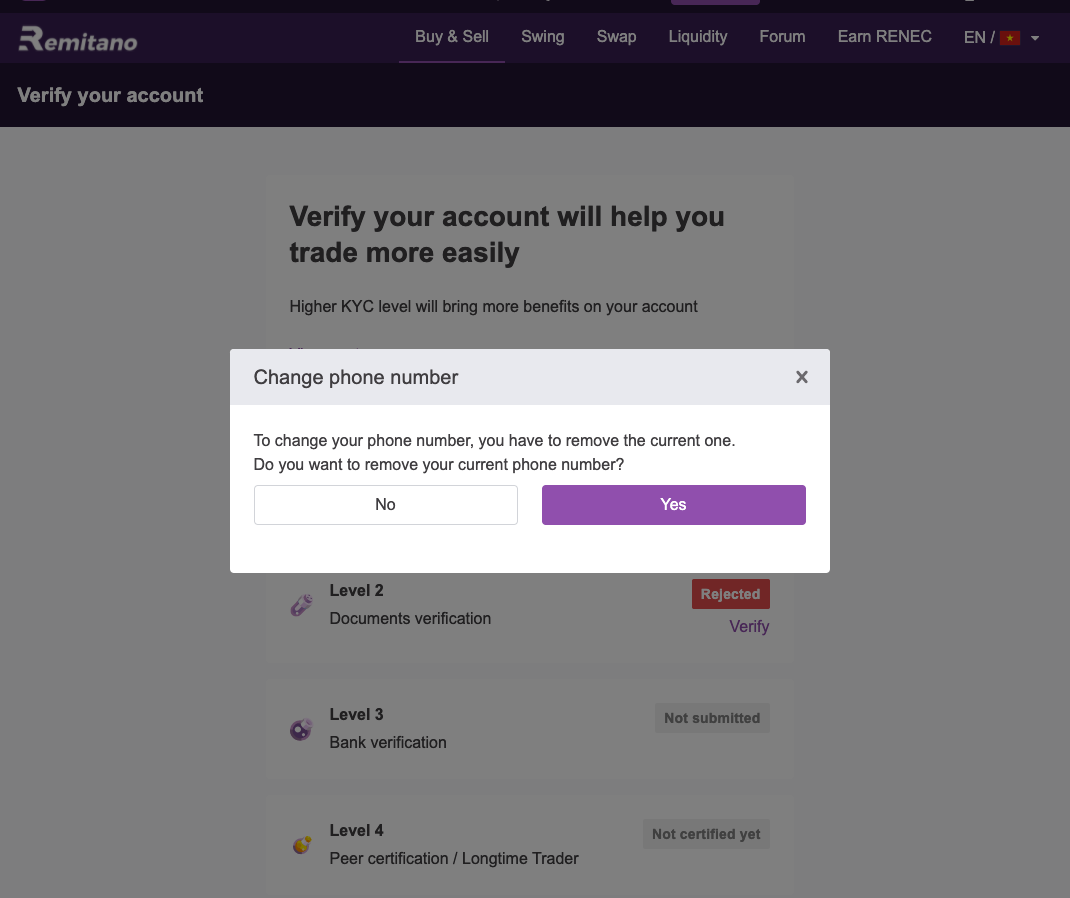
Step 2: Select “Yes” to confirm the deletion of the phone number
Step 3: Enter the Authenticator code (if you have activated Authenticator)
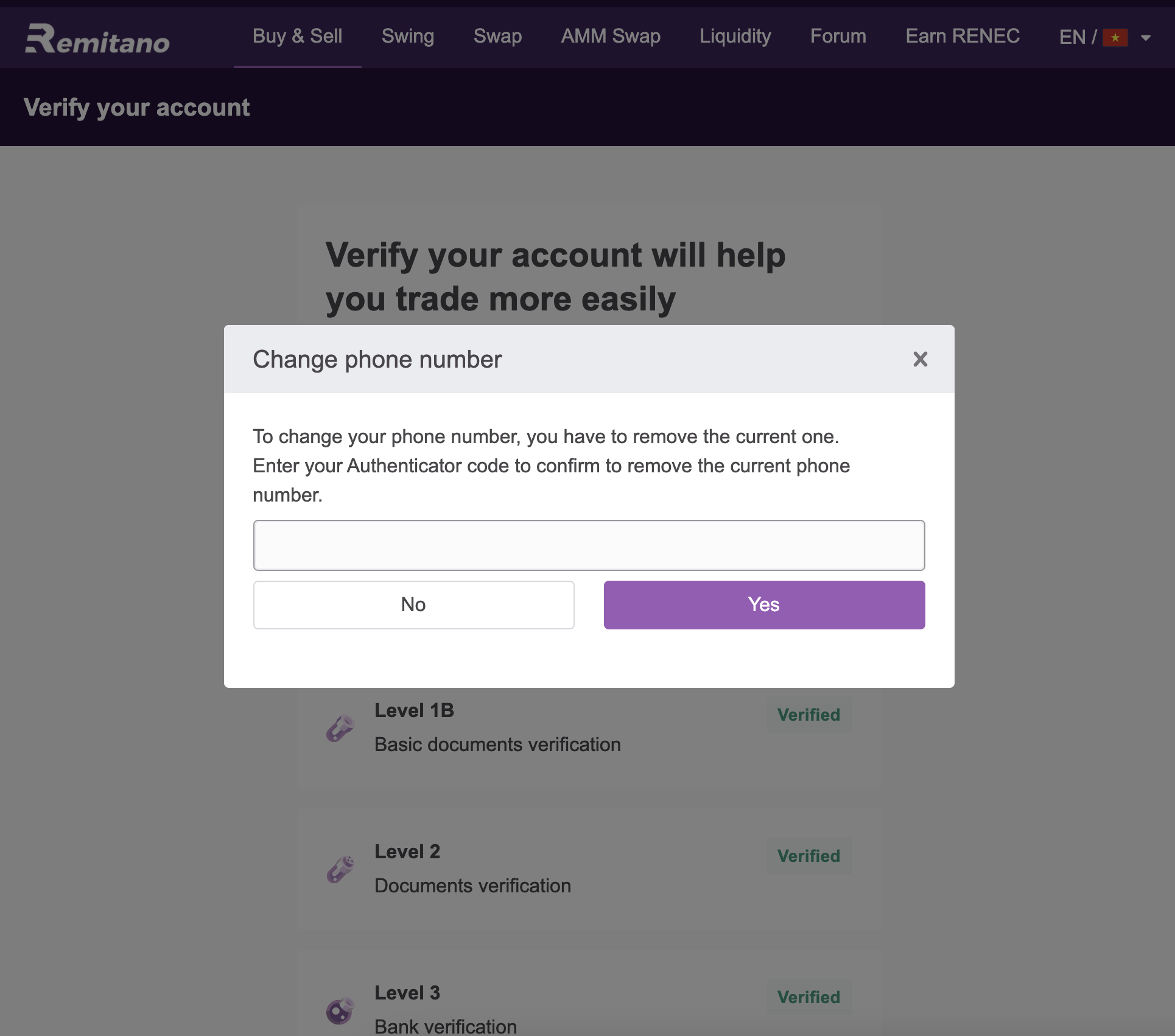
Step 4: Select “Yes” to complete.