“Every improvement contributing to your outstanding experience is our daily motivation.” - Remitano
Launched in 2018, the Swap product has been and is very popular with Remitano users, ranking only behind the P2P channel. Therefore, we are constantly trying to improve, as well as create new features for this product to serve the diverse and growing needs of users. Specifically, up to now:
- Swap has already supported up to 18 cryptocurrencies and is frequently updated..
- Swap interface has been upgraded and allowed to have a quick access at the Main Menu to make it easier and more convenient for you.
And most recently, Remitano has launched the feature “Swap at Your Price”. Is this the same as creating ads and setting prices like on P2P exchange? Let's discover together now!
At the Swap page you can choose one of two types of Swap:
- Option 1: Swap at market price, this is the traditional way. The order will be executed immediately at the market price.
- Option 2: Swap at the price you set. Similar to creating ads on P2P exchange, you set the exchange rate you want to Swap yourself. The order will be executed when your price is the best price in the market.
Experience the Swap feature at “Your Price”!
It's very simple, on the menu bar select “Swap” > “Your Price” and fill in the necessary information. After you fill in the information, there will be 2 cases:
Case 1: The price you set is higher than the market price
- Step 1: After fill in the necessary information -> “Swap”
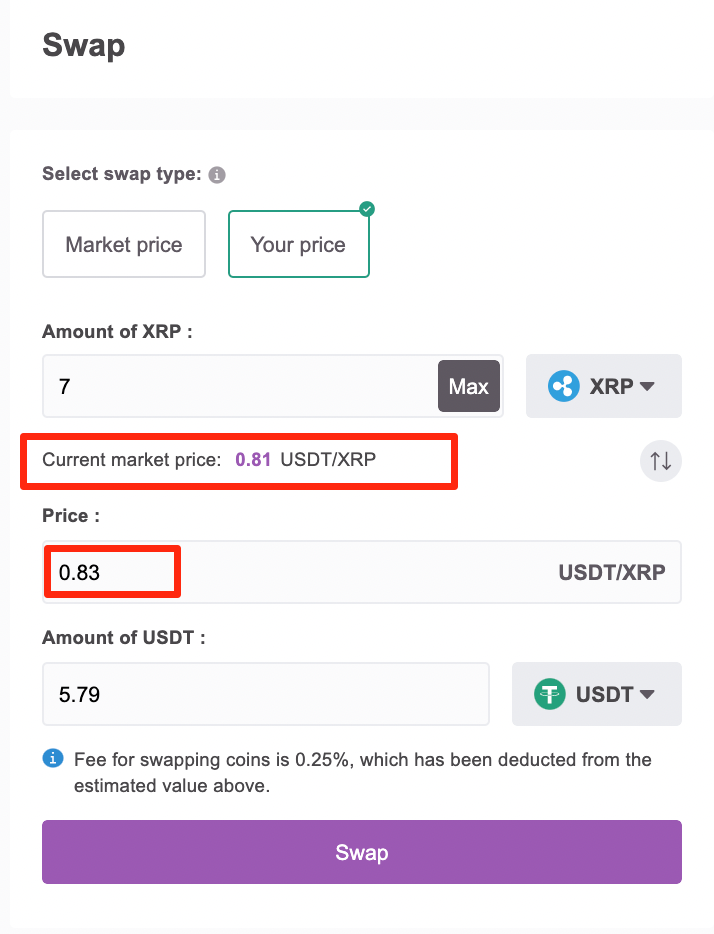
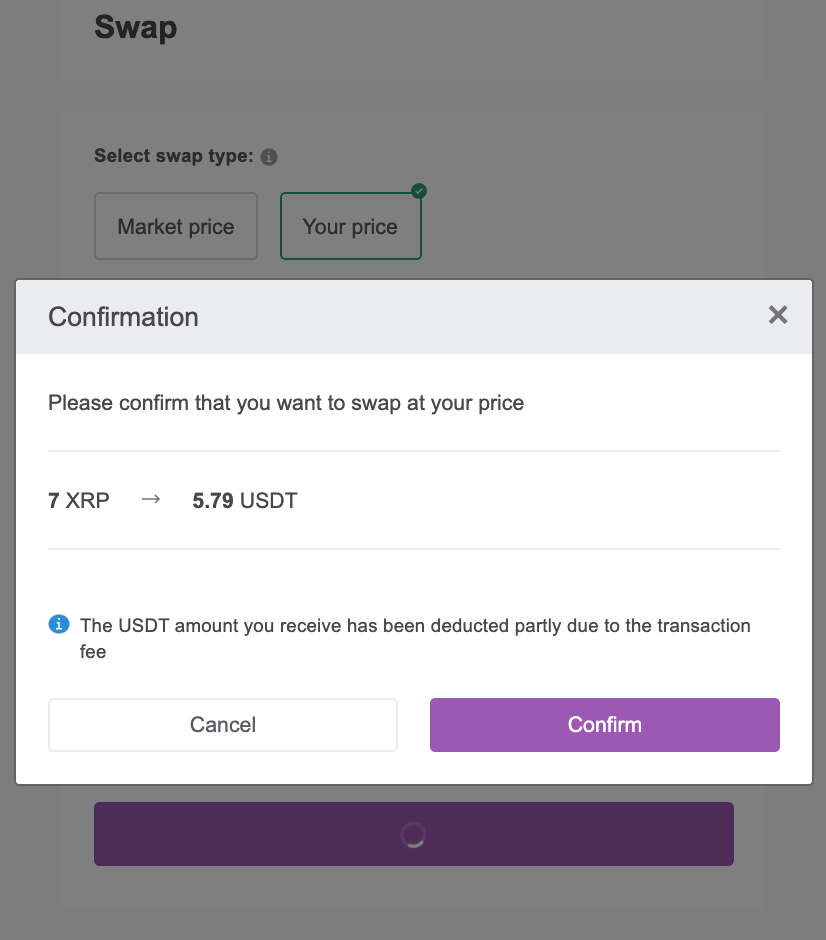
- Step 2: The system will display a popup to confirm the initial coin amount and the target coin amount you will receive when swap at the price you set. If you agree, click “Confirm”.
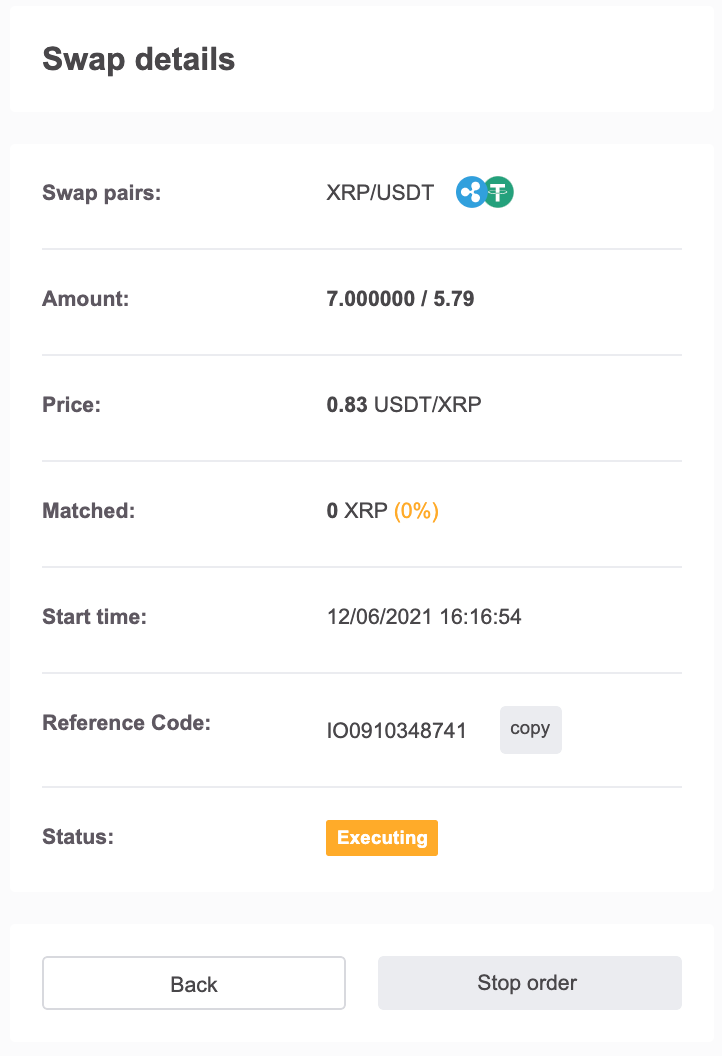
- Step 3: Your Swap order is successfully created and you can track the status of this Swap order right below the Swap order section.
Note:
- When you want to review the history of swap orders, remember to choose the correct type of Swap, and the initial coin used to Swap to see the exact history of the orders you have made.
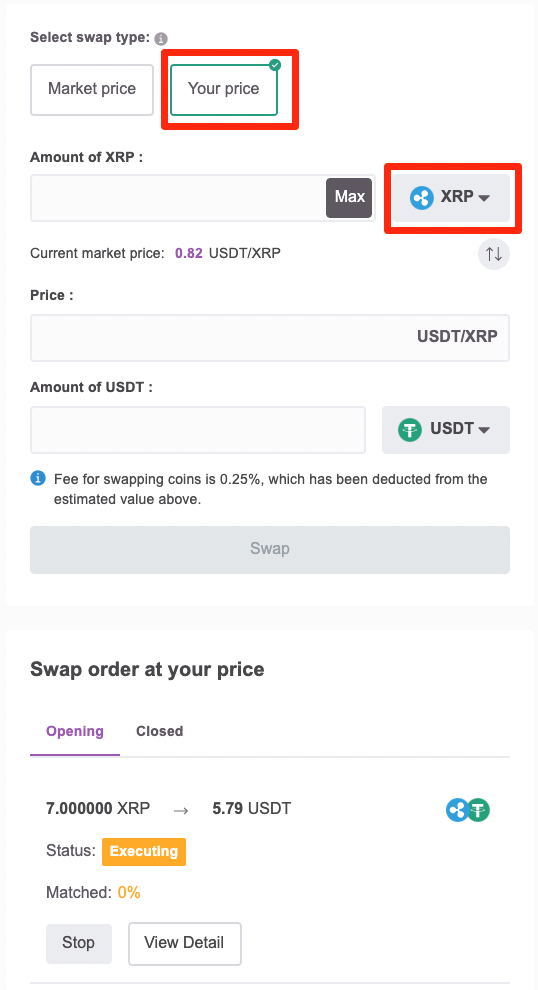
- Your Swap order will not be executed 100% immediately like Swap at market price. However, you can “Stop Order” at any time.
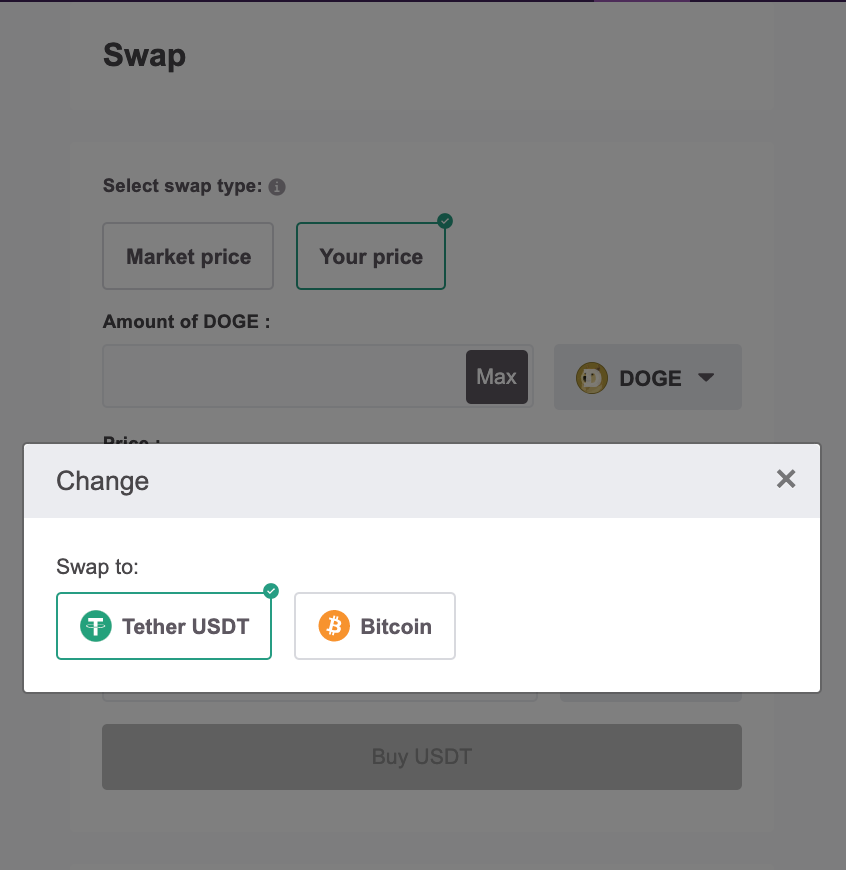
- Currently Remitano does not support Swap "at your price" for these pairs: Ethereum-Dogecoin, Ethereum-Polkadot, Ethereum-Tezos
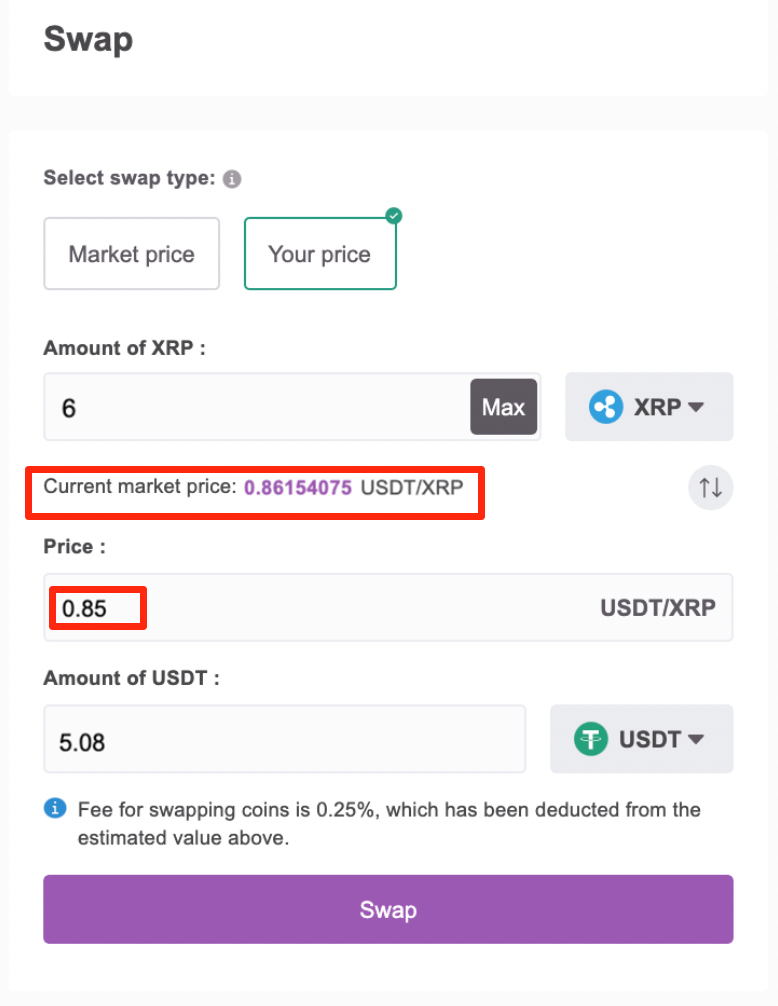
Case 2: The price you set is lower than the market price
- Step 1: After fill in the necessary information -> “Swap”
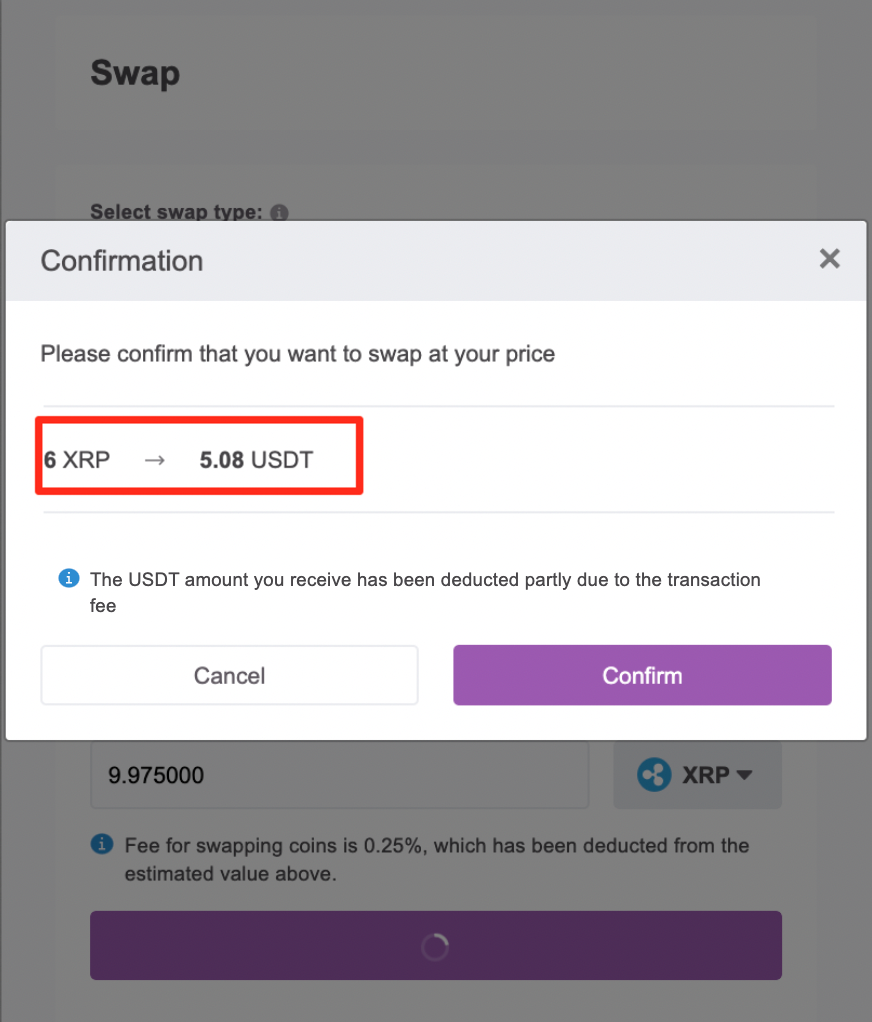
- Step 2: press “Confirm” to execute the Swap order
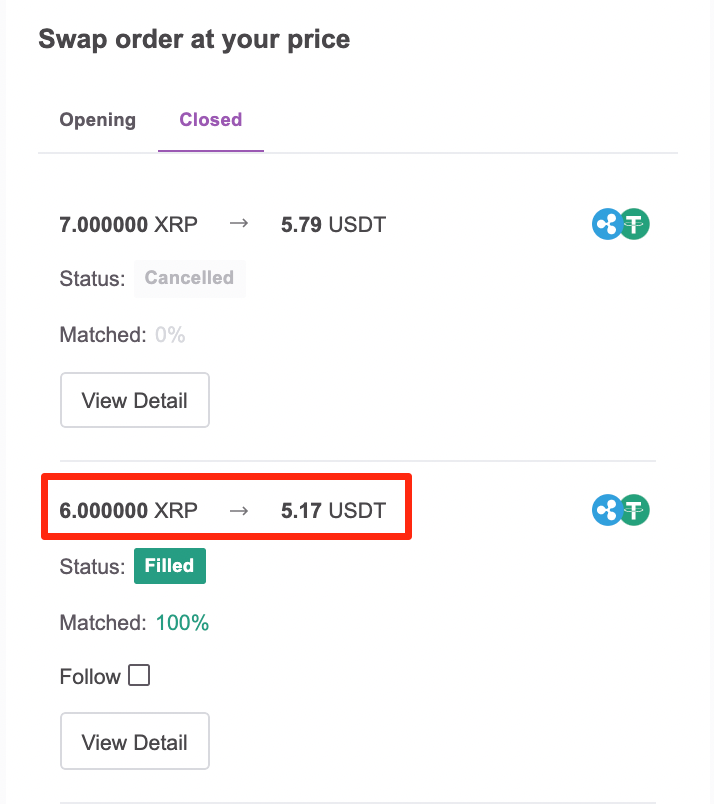
- Step 3: Your Swap order is 100% matched and completed immediately because the price you placed is lower than the market price.
However, the worth noting point here is that the actual coin amount you received is more than the coin amount when you confirmed to open the Swap order. The reason is because of avoiding your loss due to negligence of setting a price lower than the market price, Remitano took the best market price at that time to execute the Swap order for you.
We hope that this new type of Swap will make your Swap experience more perfect, and generate more profits for traders at Remitano.
Need help or have questions? You can also contact our 24/7 customer support team through the chat box at the bottom right corner of the screen.