“Every improvement contributing to your outstanding experience is our daily motivation.” - Remitano
Global cryptocurrency exchange Remitano has launched a new Indonesian Rupiah (IDR) wallet to enhance its users’ experience when transferring coins or deposits to their bank accounts through an all-new instant trade feature. Under the new feature, users will be able to make incredibly fast trades and make deposits and withdrawals of up to 25,000,000 IDR.
What comes with this update?
- New: Level 2 Remitano users and above can now leverage the new instant trade feature to instantly transfer Rupiah from their IDR wallets. New support has been added to provide insights into how withdrawals and deposits work.
- Improved: Transactions can now be completed automatically and the buyer no longer needs to stay online to wait for the transaction to conclude. We have also improved our platform security to allow users to store and trade fiat assets ever more securely.
- Fixed: The IDR wallet with instant trade feature was added to fix the potential delays in coin release by sellers and fiat money transfer by buyers.
How to Use the IDR Wallet
Here is a simple guide on how to withdraw or deposit to help you get the most out of the IDR wallet.
Finding the IDR Wallet
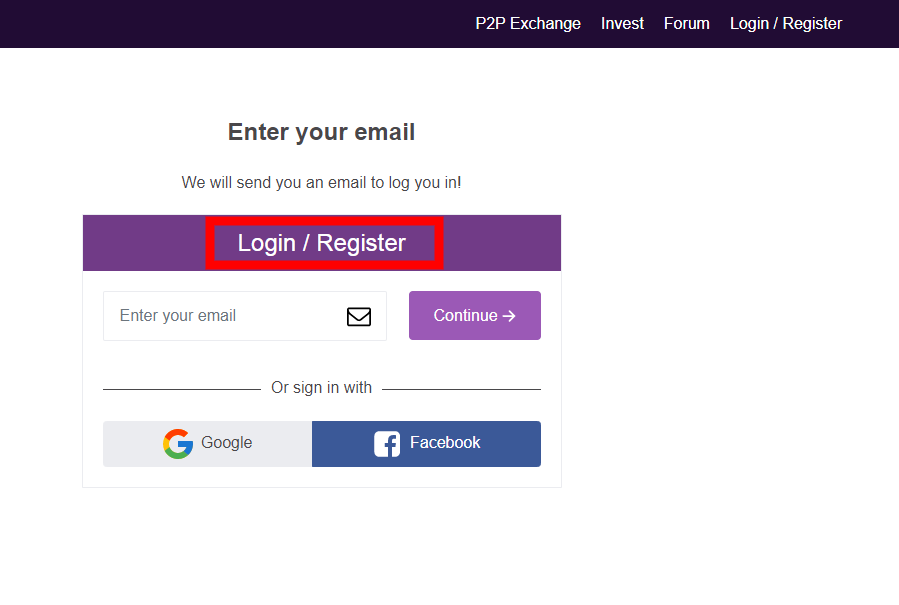
Step 1: Log into your Remitano account
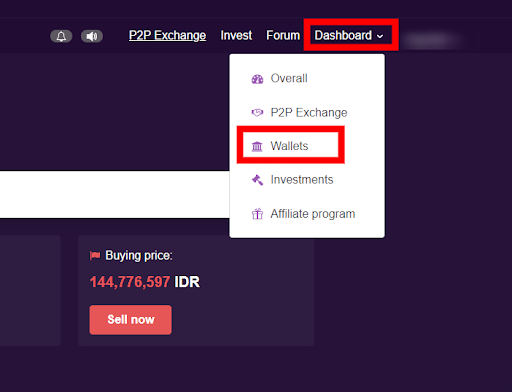
Step 2: Click on the DASHBOARD tab at the top right-hand corner of your screen view
Step 3: Scroll down to WALLETS and click on it
Depositing from the IDR Wallet
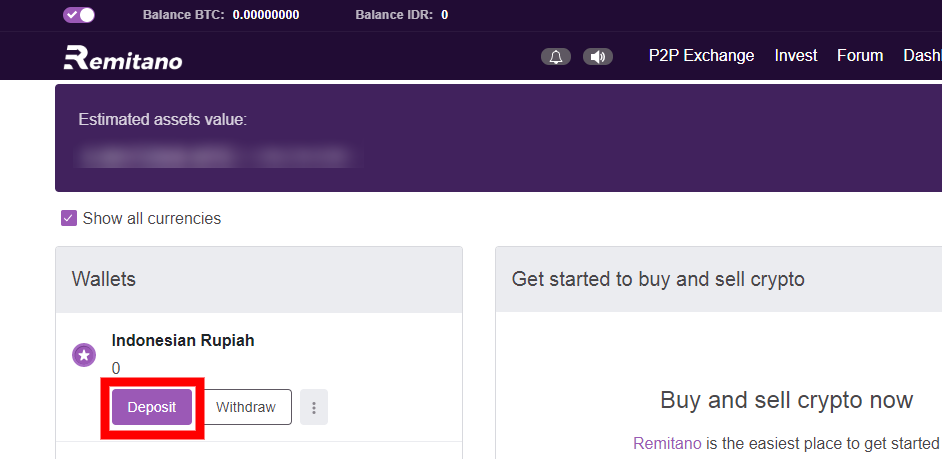
Step 1: Find the IDR wallet and click on DEPOSIT
Step 2: Select a BANK to deposit to.
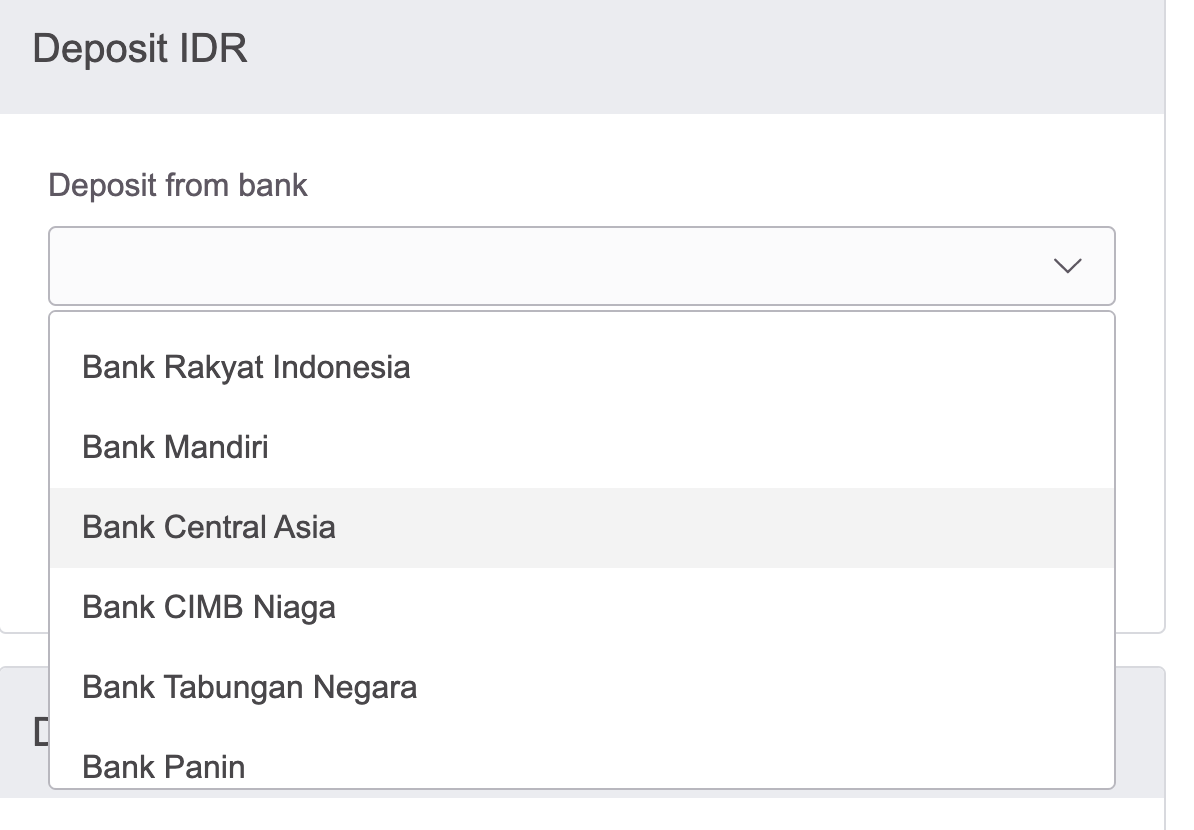
Step 3: Fill out the AMOUNT checkbox and click on DEPOSIT. This marks the start of your deposit process.
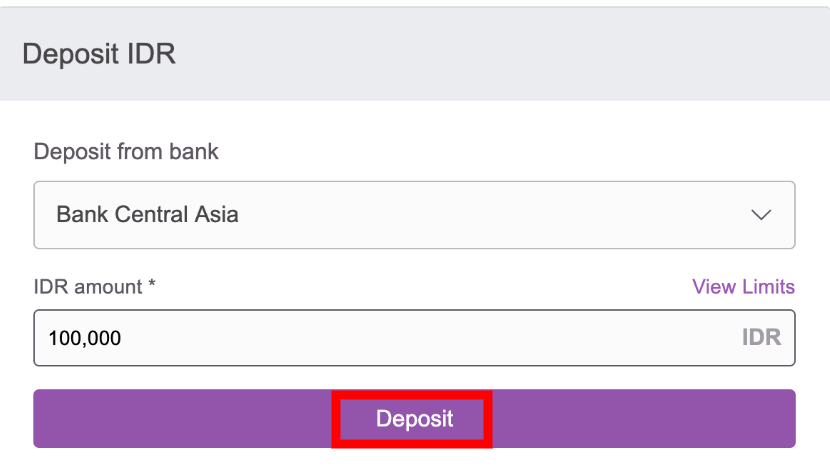
Note: Users with a sufficient account balance will not have to click on the deposit button. The deposit button only appears when a buyer has insufficient funds to accept a BUY ad.
Step 4: To discontinue the transaction process, click on CANCEL MY DEPOSIT.
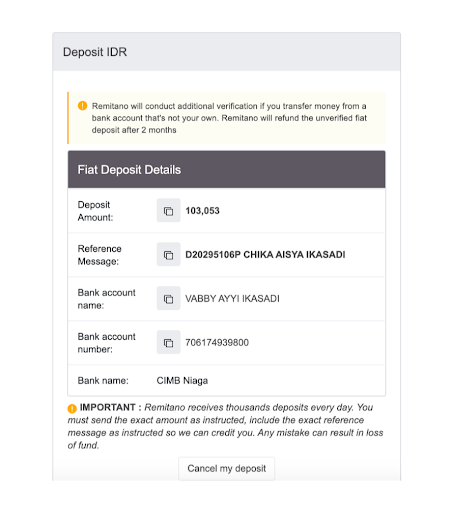
Withdrawing to the IDR Wallet
Step 1: Find the IDR wallet and click on WITHDRAW.
.
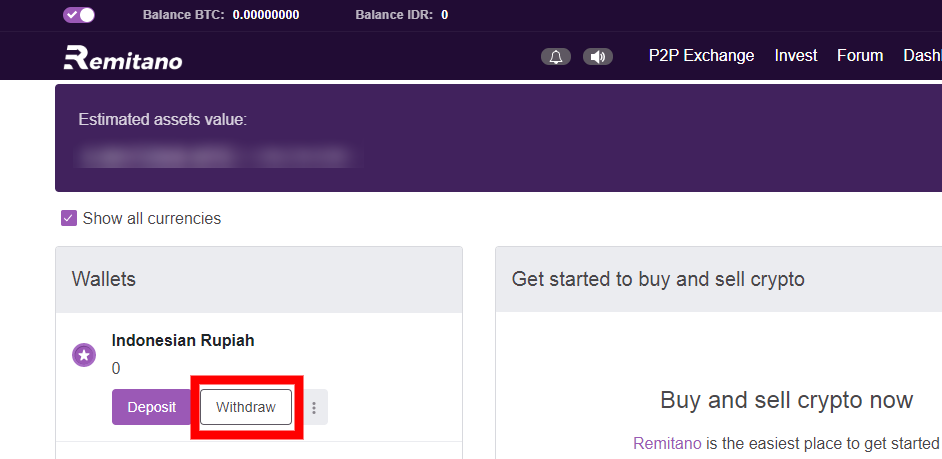
Step 2: Fill out the AMOUNT checkbox. Create an account by clicking on CREATE NEW ACCOUNT.
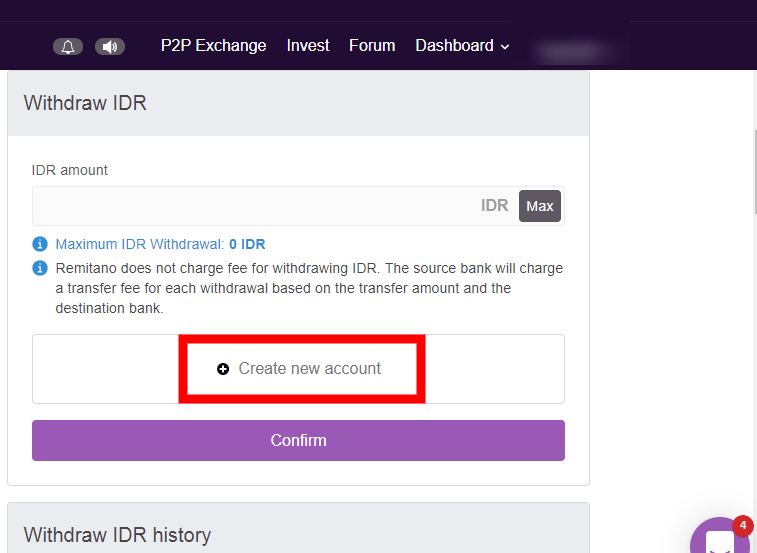
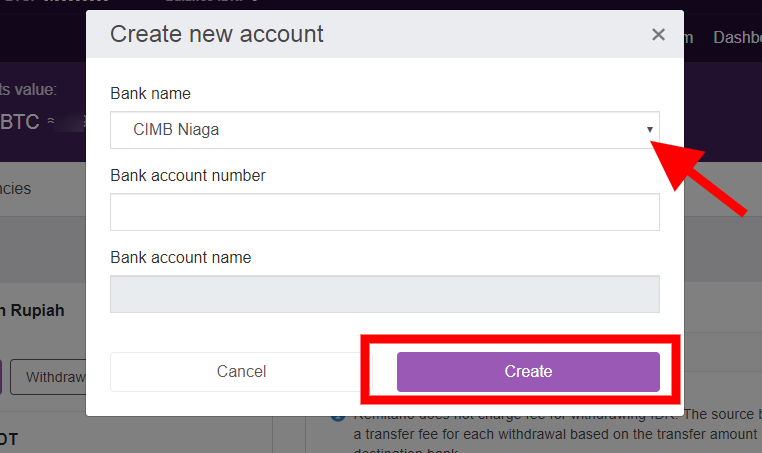
Step 3: Select the bank to withdraw from. Fill out the bank account number and name.
Step 4: Confirm the account creation by clicking on CONFIRM.
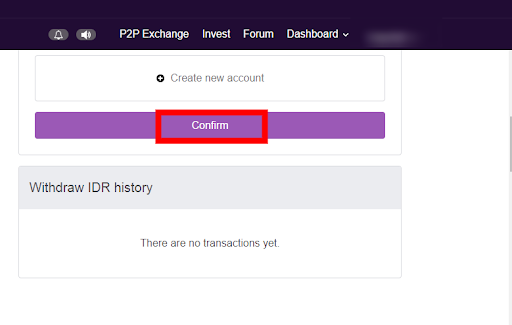
Step 5: Check your account details and click on WITHDRAW if all is ok.
Want more details about the fiat (IDR) Wallet and special offers? Get it here .
Note:
- Level 1 users and unverified account holders can only carry out withdrawals but not deposits.
- For the testing period, only level 4 users can deposit. Levels 2 and 3 will be able to deposit after the testing.
Remitano is committed to continue sharing new knowledge and expertise with its users. It is our hope that this new IDR wallet will better meet the needs and expectations of our traders in the Indonesian market.
Further questions can be directed to our Support team via the LiveChat feature on Remitano’s main website or mobile app.
Ready to enjoy the benefits of instantaneous trading? Head over to Remitano.com to get started!