Daily price update can be set on auto notification on remitano provided that you enable the settings to be receiving daily price update on cryptocurrencies listed on the remitano exchange via your given email address.
To set up daily price notification update, you must log in to your dashboard to locate settings on the menu and then search out for profile. From the profile, scroll down until you locate "subscribe to daily price" which is usually set at OFF default.
Once the subscribe button is switched on, the button changes from white to green notation.
Congrats! You have successfully turn daily price on if you see it green. It is then left for you to check up the daily price update on cryptos in your email address everyday.
One thing is clear that if you are updating yourself regularly, you will be able to make informed decision about crypto investment.
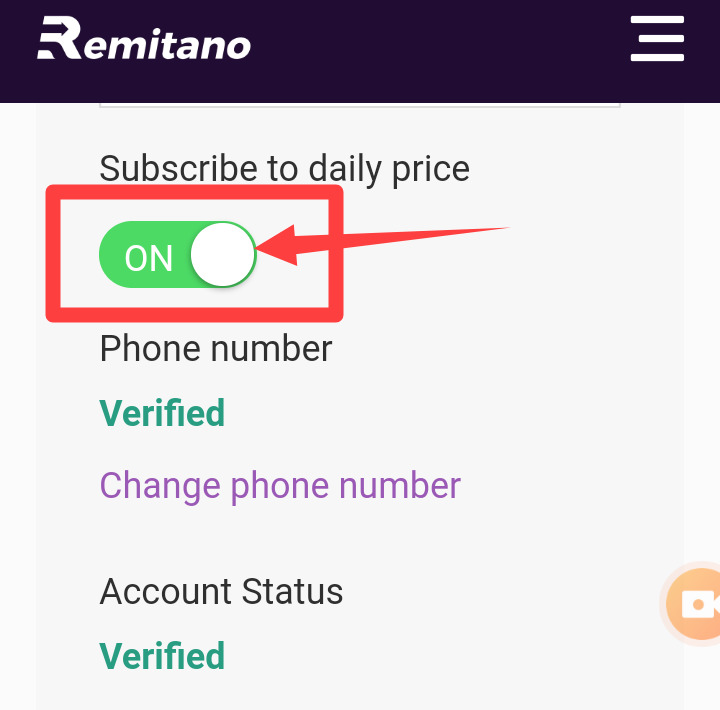
WHERE TO ACTIVATE DAILY CRYPTO PRICE NOTIFICATION ON REMITANO
Comments (9)
Guest

Related posts
Discussion
• 2021/05/28
APPLE AND CRYPTOCURRENCY
Discussion
• 2021/05/27
MARKET CRASH UPDATE
Discussion
• 2021/05/27
WILL BITCOIN EVER BE WORTH $100,000?


Product
Buy anywhere
Help Center