"Every improvement contributing to your outstanding experience is our daily motivation." - Remitano
In a bid to give our customers the best possible user experience on the platform, we have introduced deposits and withdrawals of Binance USD (BUSD).
BUSD is sent on the Binance blockchain and it has a relatively low fee. This coin offers Remitano users access to a lot of projects built on the Binance network.
Remitano users can now receive BUSD in their Remitano wallet and can also send out BUSD to external BUSD wallets.
How to deposit BUSD into your Remitano wallet
To deposit BUSD into your Remitano wallet, from homepage:
Click on Dashboard

Click on Wallets as shown in the above image
Click on Deposit at BUSD

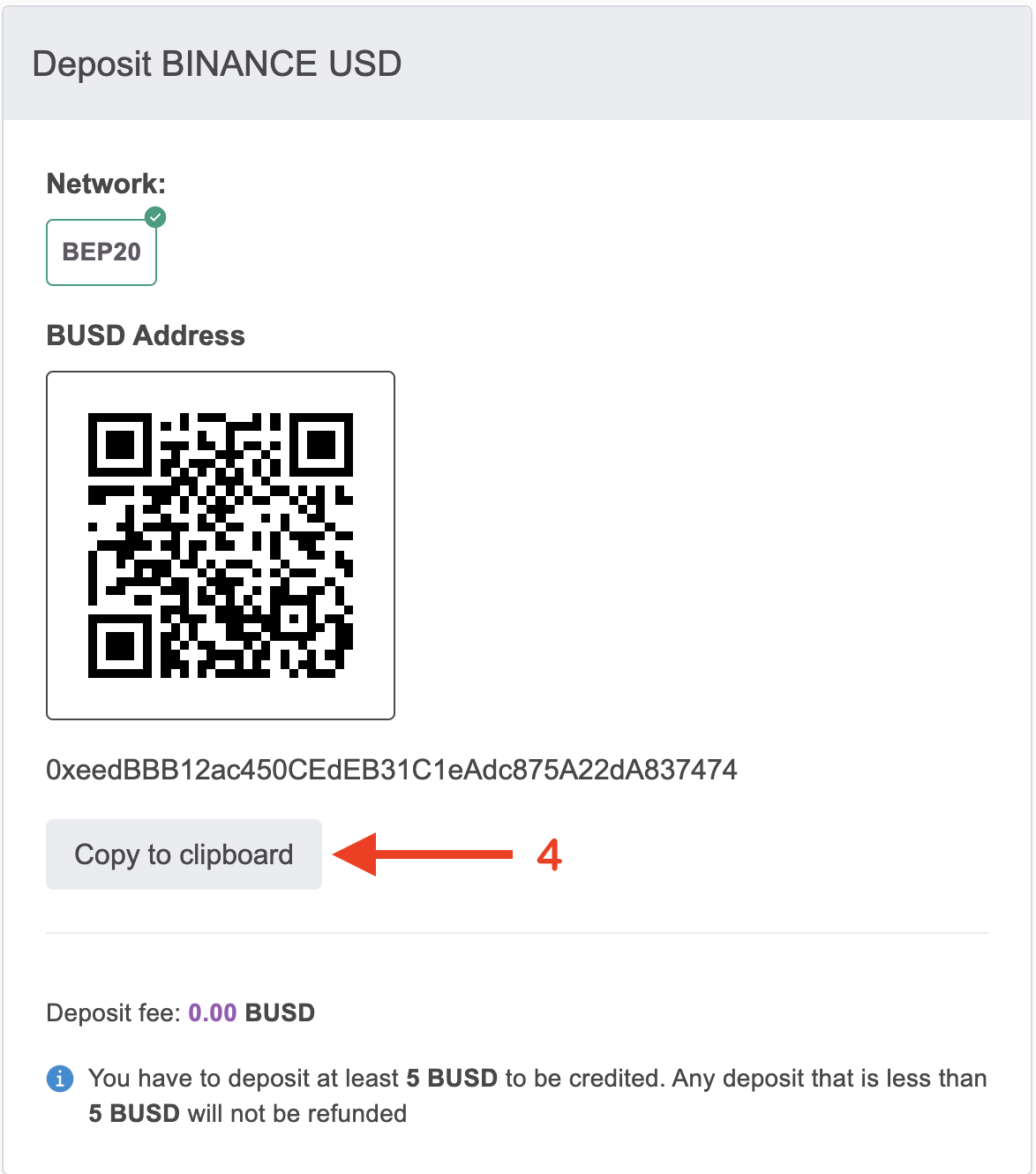
Copy the wallet address shown on the page and send BUSD into it or you can scan the QR code shown on the page and send BUSD into it.
How to withdraw BUSD from your Remitano wallet
To deposit BUSD into your Remitano wallet, from homepage:
- Click on Dashboard
- Click on Wallets as shown in the above image
Click on Withdraw at BUSD

Paste your BUSD wallet address in the text box for wallet address
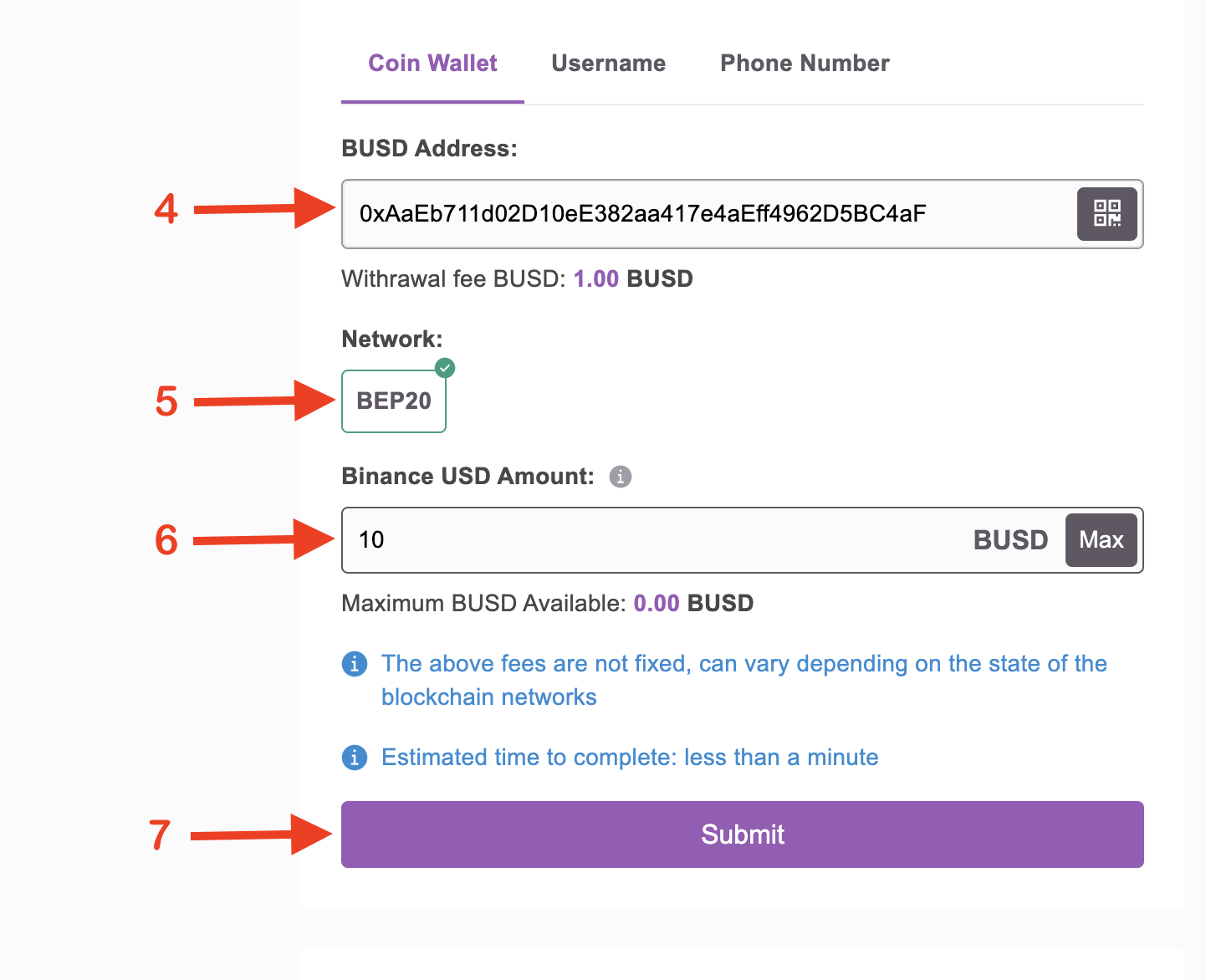
Select BEP20 as the network
Enter the amount of coin you wish to withdraw in the text box for amount
Click the Submit button to complete your BUSD withdrawal to your external wallet address
Remitano not only strives to create flawless solutions, but also prioritizes the needs of our customers, and thinks of ways to alleviate their greatest difficulties and pains.
We're particularly excited about the real, measurable benefits our users can gain from having access to deposit and withdraw BUSD
Need help or have questions?
Contact our 24/7 customer support team using the chat box in the bottom right corner of the screen.
Maybe you are interested: