Bitcoin Lightning Network is a layer 2 scaling solution built on the Bitcoin blockchain with the aim of making transactions faster, cheaper, and more scalable. It allows users to create off-chain payment channels, helping to reduce congestion on the Bitcoin blockchain and increase the number of transactions per second.
1. How to Deposit BTC via Bitcoin Lightning Network
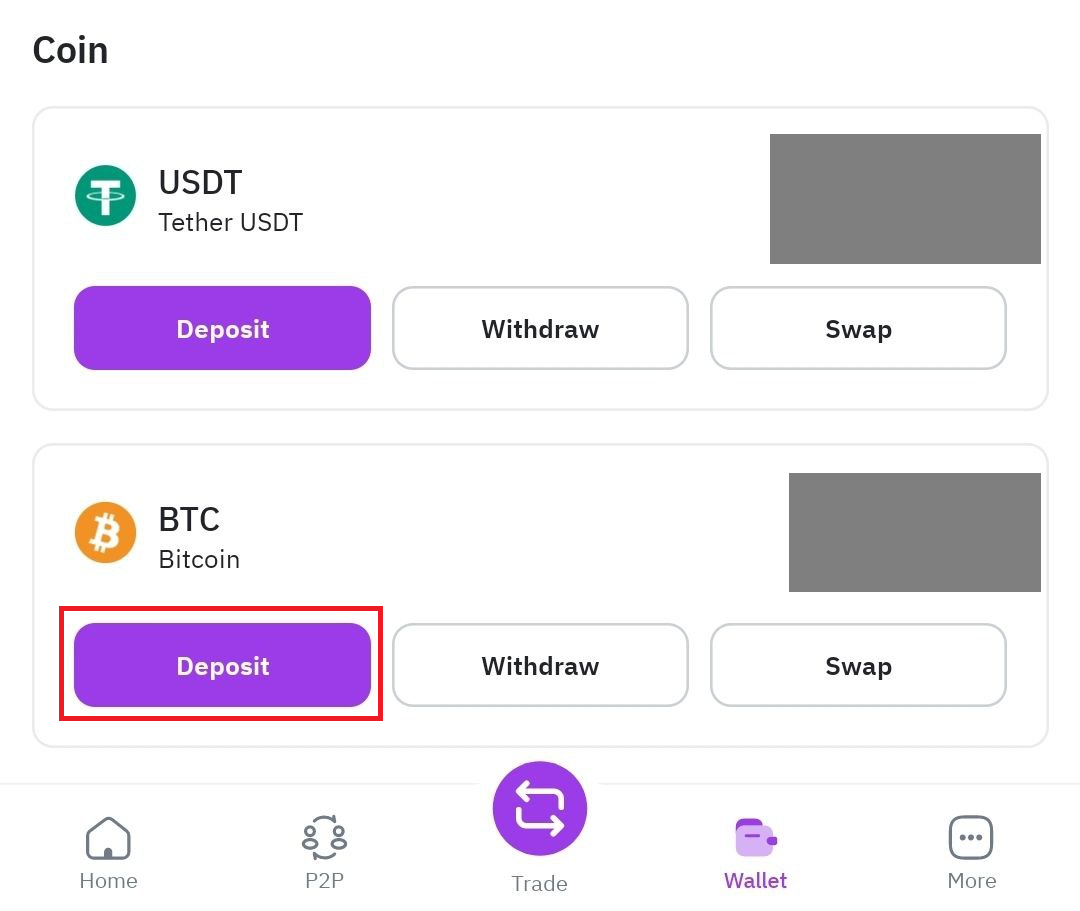
Step 1: Log in to your Remitano account, select [Wallet], then click on [Deposit].
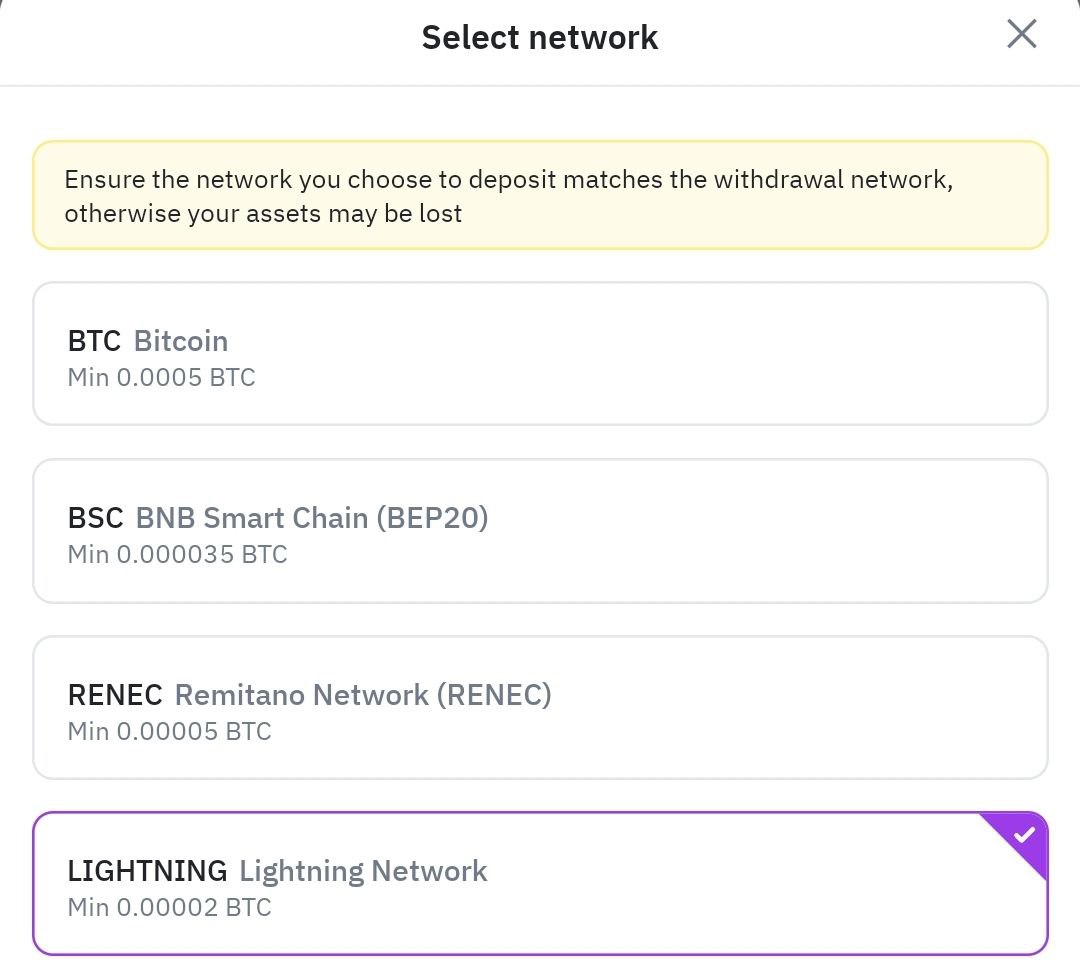
Step 2: You will see the networks that support BTC withdrawal. Choose [Lightning].
Step 3: Enter the amount you wish to deposit and click [Create Invoice]. Note that you cannot create an invoice without entering the deposit amount. Once you enter the amount, you will see the invoice details.
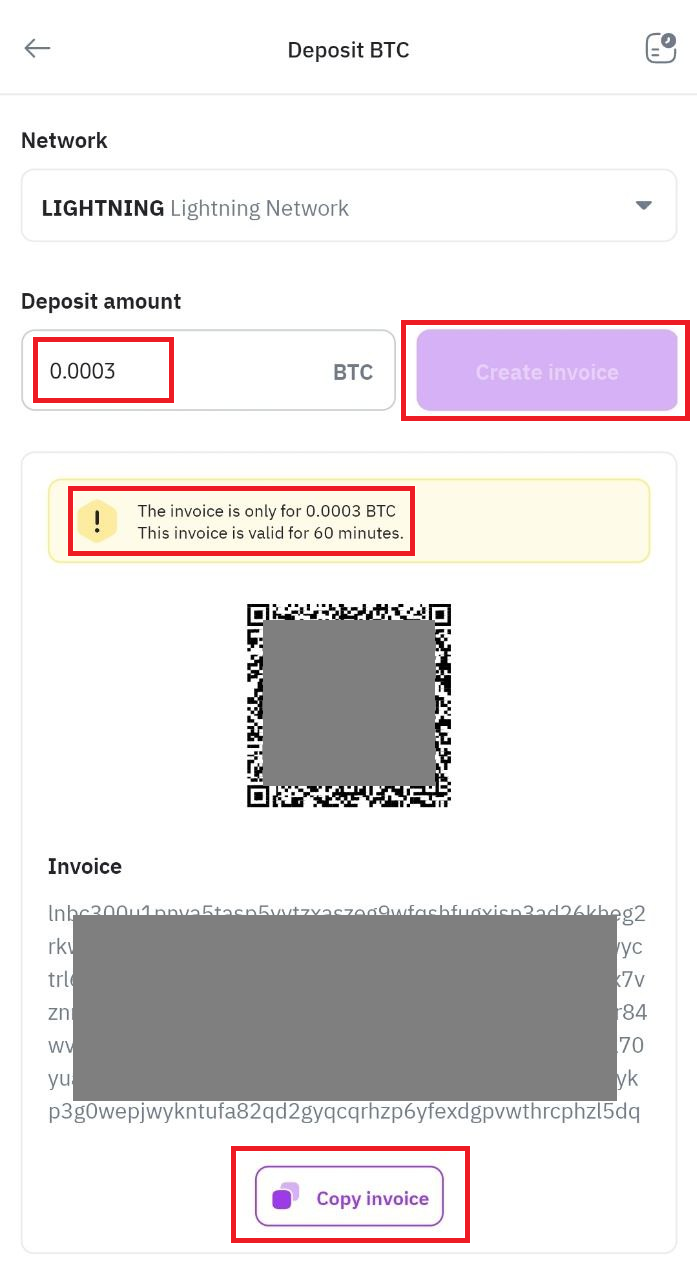
Step 4: Click [Copy Invoice] and paste your BTC deposit invoice into the invoice field on the platform where you intend to withdraw BTC. Note that the invoice will expire after 60 minutes. (Details of this step can be found in Section 2: "How to Withdraw BTC via Bitcoin Lightning Network")
Note: After confirming your deposit request, your transfer will be processed. Typically, the funds will be credited to your Remitano account shortly thereafter. Overall, the process is similar to depositing & withdrawing on other platforms, but instead of just selecting an address and pasting it into the withdrawal platform, in the [Deposit] step, you need to enter the amount to be deposited, after which the invoice is created (the invoice is not fixed like a typical deposit address).
See more: Bitcoin Lightning Network: A Solution for Scaling and Accelerating Blockchain Transactions
2. How to Withdraw BTC via Bitcoin Lightning Network
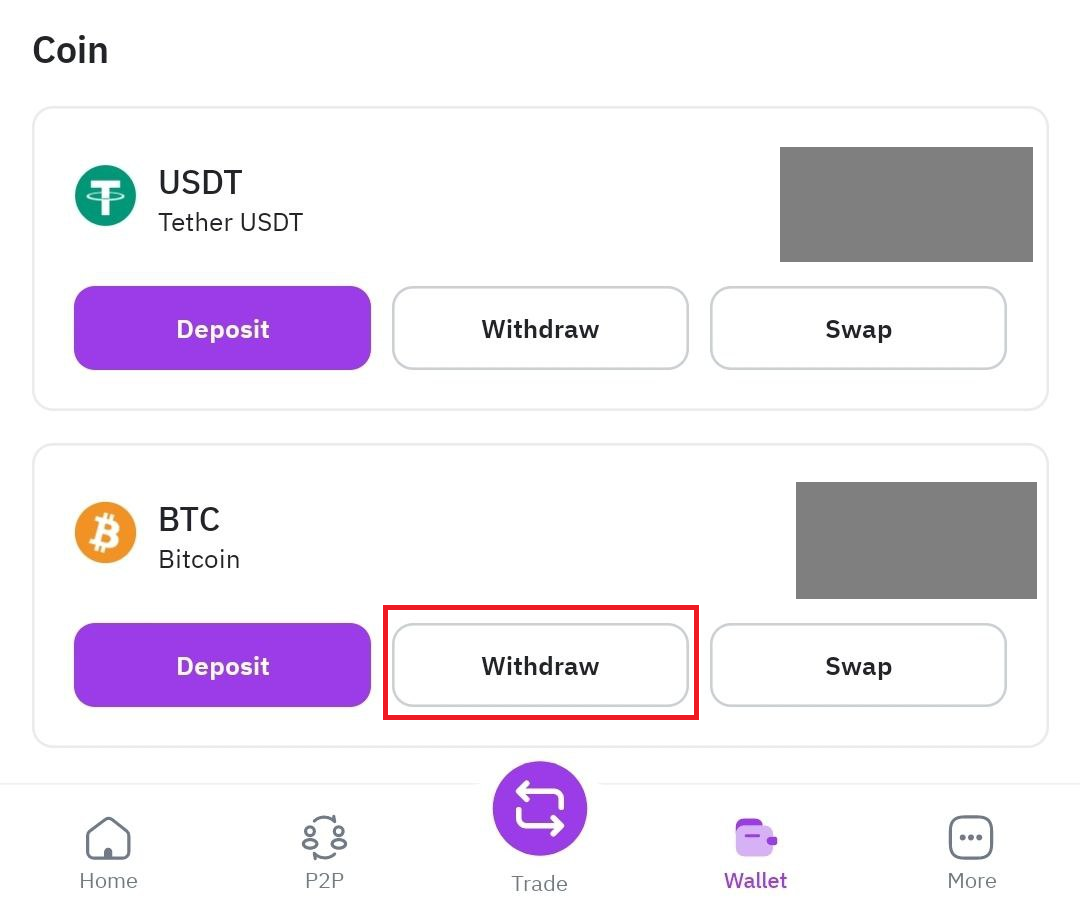
Step 1: Log in to your Remitano account, select [Wallet], then click on [Withdraw].
Step 2: Choose [Send via crypto network].
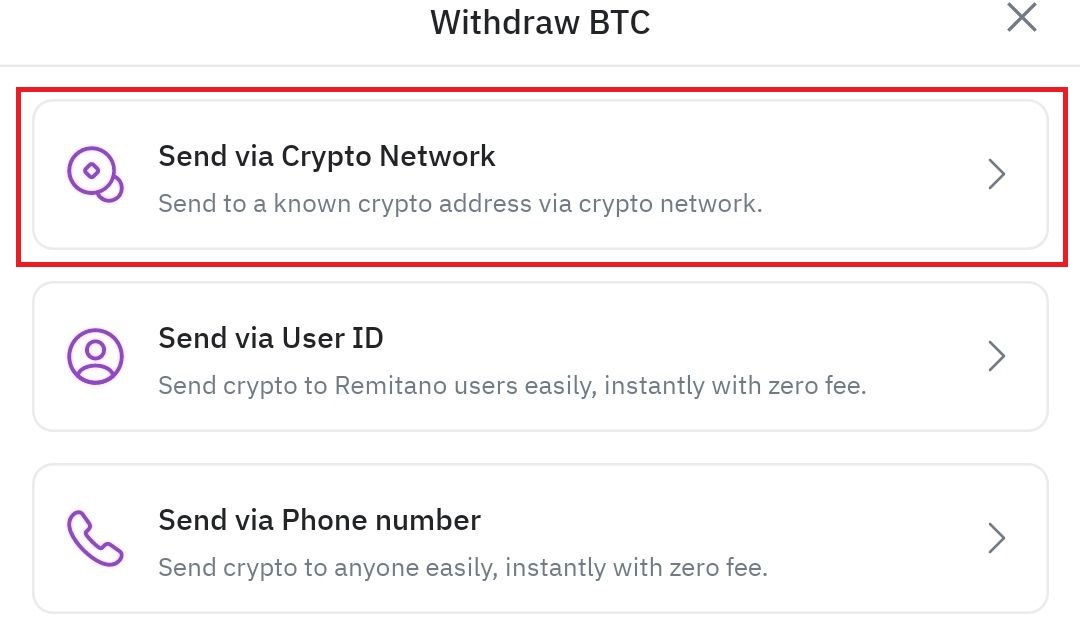
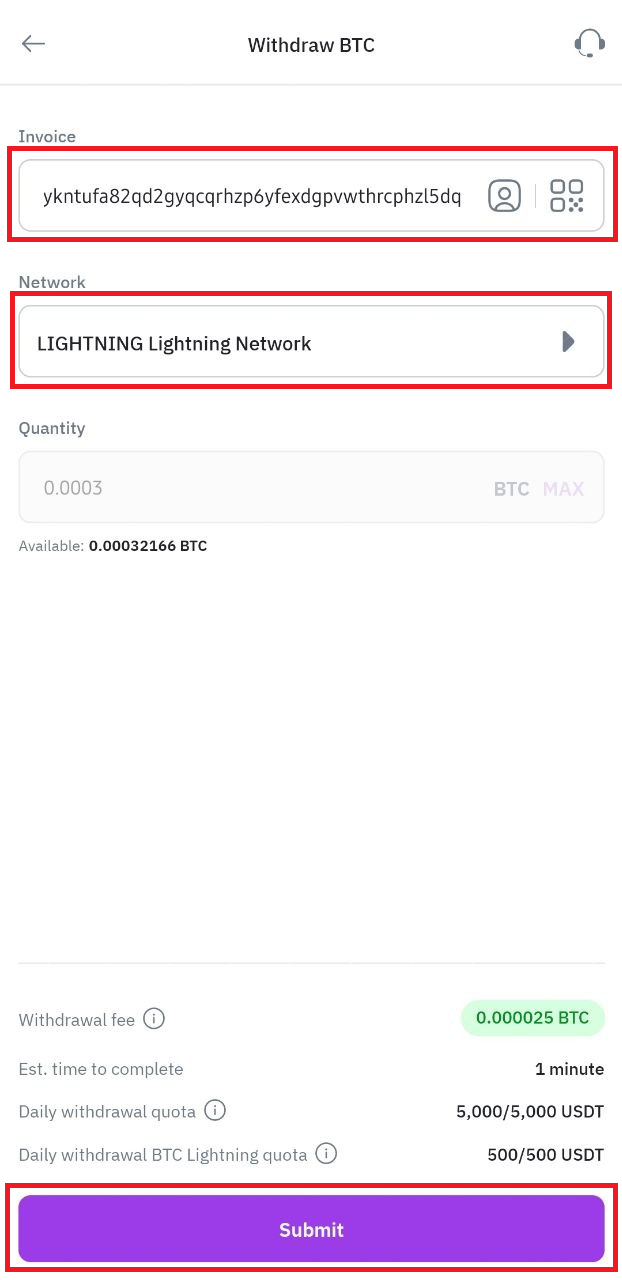
Step 3: In the [Address or Invoice] field, paste the [Invoice] you created via Lightning Network, then click [Submit] (refer to the "How to Deposit BTC via Bitcoin Lightning Network" section above). Note: Information such as the Network and amount will be automatically filled based on the amount you previously created on the deposit platform. Ensure that the "Invoice" information is valid and not expired (check the expiration time).
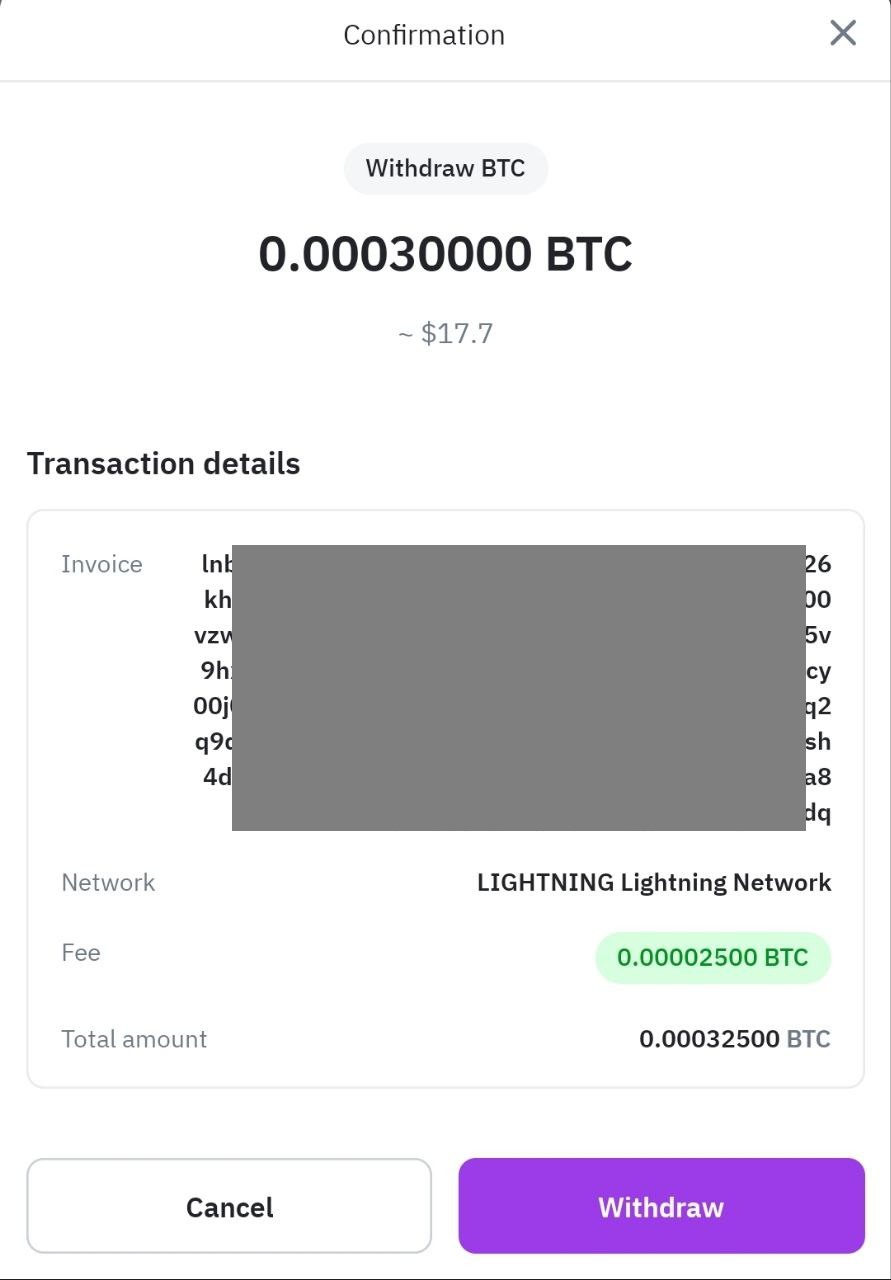
Step 4: A confirmation info box will be displayed, allowing you to double-check before confirming the [Withdrawal]. You will be prompted to confirm the transaction again. Please carefully review all details before clicking [Continue]. If you enter incorrect information or choose the wrong network when transferring funds, your assets will be permanently lost. Ensure that all information is accurate before confirming the transaction.
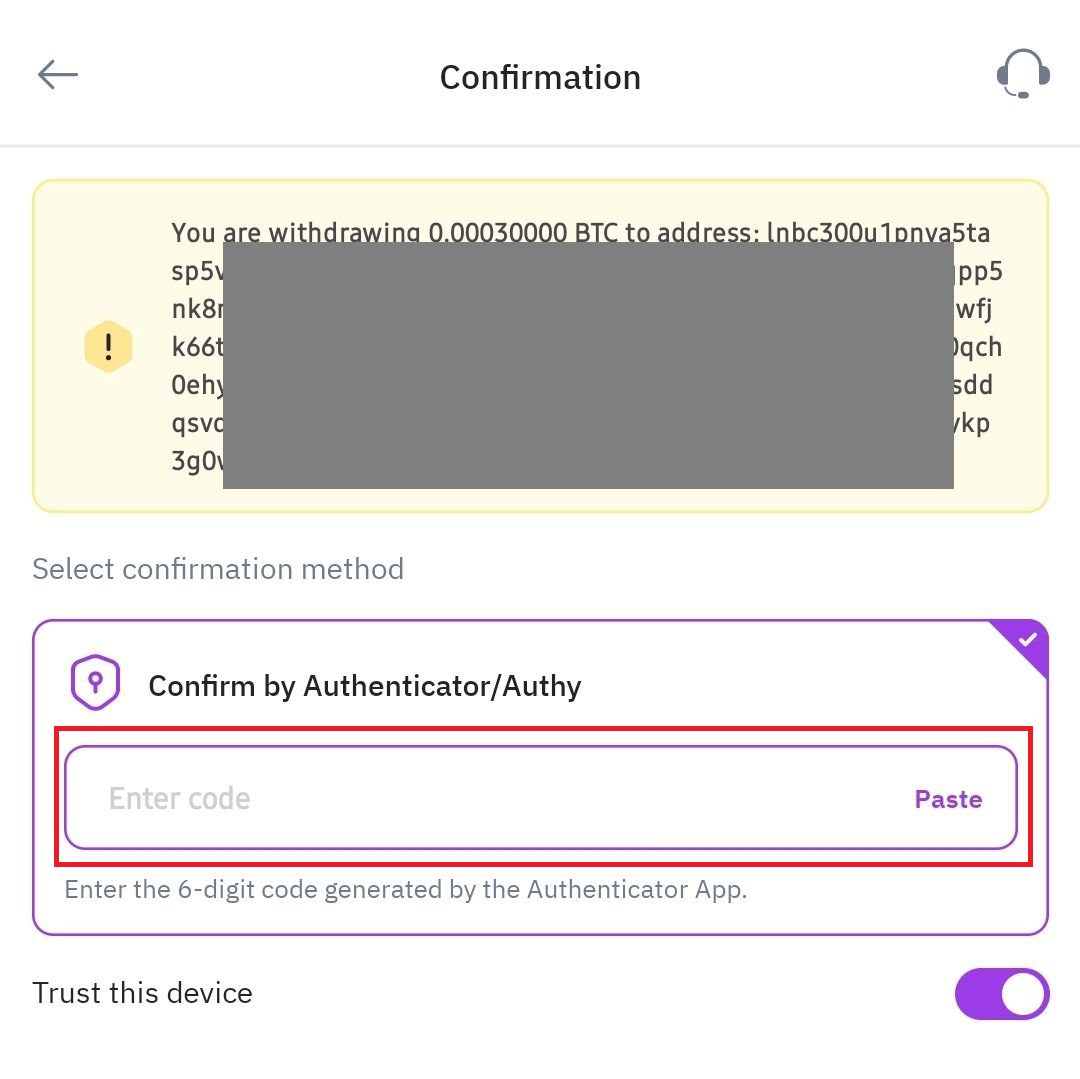
Step 5: Verify the transaction using the device - 2FA code. After confirming the withdrawal request, please be patient while the transfer is processed.
Note: On other platforms, the process may not be exactly the same as on Remitano, but generally, it still involves going to the asset management page, selecting withdraw, choosing Bitcoin or other Crypto products that support the Lightning Network.
If you have any questions, please contact Remitano customer support.
3. Did you know? Benefits of using the Bitcoin Lightning Network
- Fast transactions: Transactions on the Bitcoin Lightning Network occur almost instantly without the need for miner confirmation, with payment times in just a few seconds or even fractions of a second.
- Low transaction fees: Transactions via the Bitcoin Lightning Network typically have significantly lower fees compared to transactions on the Bitcoin network, making small transactions economically viable.
- Security and privacy: The Bitcoin Lightning Network does not disclose information about individual transactions on the blockchain, helping to protect user privacy. Users can check transaction information on their Remitano platform.